In this post I am going to explain how to get all regions of country by country code Magento 2. Add below code snippet in Block class. protected $_country; public function __construct( \Magento\Framework\View\Element\Template\Context $context, \Magento\Directory\Model\Country $country, array $data = [] ) { $this->_country = $country; parent::__construct($context, $data); } // Get All Regions of Country public…

Author: Team HiddenTechies (page 4 of 58)
In this post I am going to explain how to get cms block collection in Magento 2. 1. Using Dependency Injection Add below code snippet in Block class. protected $_blockRepository; protected $_searchCriteriaBuilder; public function __construct( \Magento\Framework\View\Element\Template\Context $context, \Magento\Cms\Api\BlockRepositoryInterface $blockRepository, \Magento\Framework\Api\SearchCriteriaBuilder $searchCriteriaBuilder, array $data = [] ) { $this->_blockRepository = $blockRepository; $this->_searchCriteriaBuilder = $searchCriteriaBuilder; parent::__construct($context, $data);…

Finally, HiddenTechies is turning 4 on this 17th December 2020! And we are so excited about it, these four year have been an incredible for us. It has been a great pleasure serving you all through these years. We would just like to say thank you for being a part of HiddenTechies family. Let’s get…
In this post I am going to explain how to remove block from layout on specific condition Magento 2. If you have a specific condition to add/remove block then you can achieve it by observer. Here I have given the example to remove search block. First you need to create event.xml file on below path….
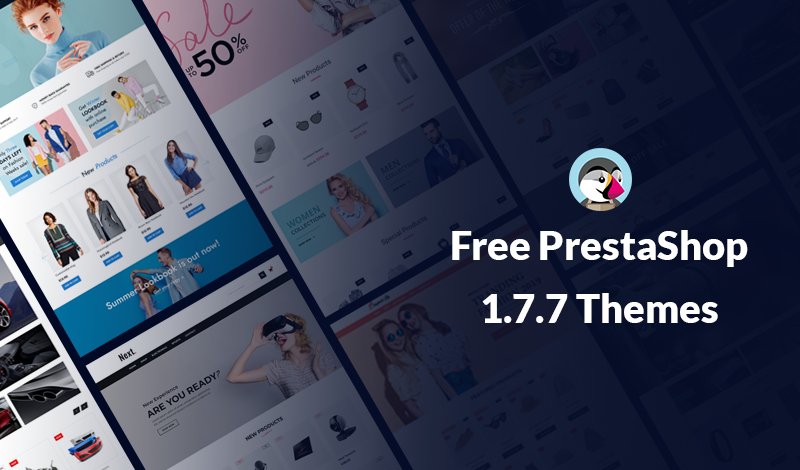
Free PrestaShop 1.7.7 Themes, Download Now! Today we are introduce a powerful Free Themes for PrestaShop 1.7.7 to launch your ecommerce website. These are the Best Free PrestaShop Themes for making a websites and it’s look a like an elegant online ecommerce store. Choose the Best Free PrestaShop 1.7.7 Themes from the below list. PrestaShop…
In this post I am going to explain how to get customer data by customer email Magento 2. Using below code snippet you can get customer data by passing customer email and website id. Add below code snippet in Block class. protected $_customerRepository; public function __construct( \Magento\Framework\View\Element\Template\Context $context, \Magento\Customer\Api\CustomerRepositoryInterface $customerRepository, array $data = [] )…
In this post I am going to explain how to get Magento 2 edition and version. 1. Using Dependency Injection Add below code snippet in Block class. protected $_productMetadataInterface; public function __construct( \Magento\Framework\View\Element\Template\Context $context, \Magento\Framework\App\ProductMetadataInterface $productMetadataInterface, array $data = [] ) { $this->_productMetadataInterface = $productMetadataInterface; parent::__construct($context, $data); } /* Get Magento 2 Edition */ public…
In this post I am going to explain how to get system configuration value in phtml file in Magento 2. You can get system configuration field value programatically as below. Add below code snippet in Block class. protected $scopeConfig; public function __construct( \Magento\Framework\View\Element\Template\Context $context, \Magento\Framework\App\Config\ScopeConfigInterface $scopeConfig, array $data = [] ) { $this->scopeConfig = $scopeConfig;…
In this post I am going to explain how to unlock admin user via command line in Magento 2. First login to SSH panel and navigate to Magento 2 setup root. Run the following command. It will show usage of the command. php bin/magento admin:user:unlock –help Output: Description: Unlock Admin Account Usage: admin:user:unlock <username> Arguments:…

In this post I am going to explain how to hide admin menu based on system config in Magento 2. In order to add admin menu we write code in menu.xml file, which is located at <vendor>/<module>/etc/adminhtml/. So now let’s see how you can hide menu based on conditions. Check the below code snippet. <?xml…


Recent Comments