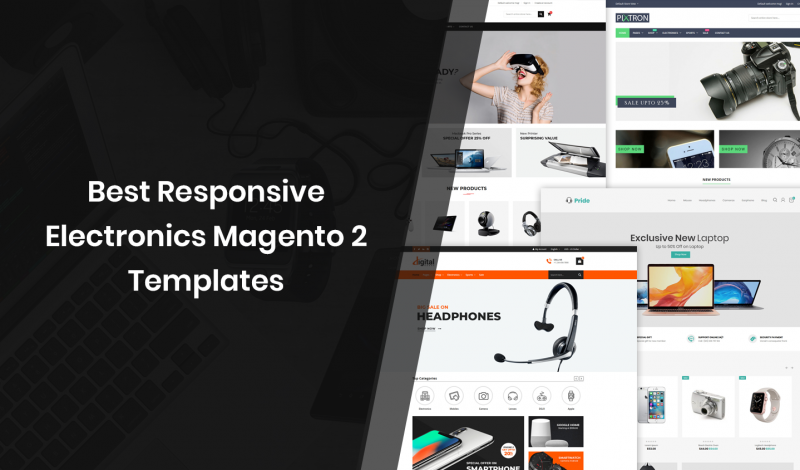
Today we are highlight the Top Electronics Magento 2 Themes, If you’re looking for the Best Electronics Magento 2 Templates in the market, then you’re in the right place. We have more than 10+ such Electronics Magento 2 Templates for you right here! Take a look and enjoy… Best Magento 2 Themes 1. Pixtron PRO…

Category: Magento (page 9 of 24)

Today we are highlight the Top Food & Beverages Magento 2 Templates, If you’re looking for the Best Food & Beverages Magento 2 Templates in the market, then you’re in the right place. We have more than 10+ such Themes for you right here! Take a look and enjoy… 1. More – Grocery Store Magento…

Today we are highlight the Top Optical & Lens Magento 2 Themes, If you’re looking for the Best Mobile Ready Optical & Lens Magento 2 Themes in the market, then you’re in the right place. We have more than 10+ such Themes for you right here! Take a look and enjoy… 1. Optical – Responsive…
In this post I am going to explain how to get invoice details by invoice id in Magento 2. Using below code snippet you can get invoice details by passing invoice id. 1. Using Dependency Injection Add below code snippet in Block class. protected $_invoiceRepositoryInterface; protected $_logger; public function __construct( \Magento\Framework\View\Element\Template\Context $context, \Magento\Sales\Api\InvoiceRepositoryInterface $invoiceRepositoryInterface, \Psr\Log\LoggerInterface…
In this article we’ll show you, how to Configure Cron in Magento 2. Follow this simple guideline… Step 1: Get Started Login into Magento Admin Panel and from sidebar go to, Store > Settings > Configuration. Step 2: Configure Cron Now from sidebar, Go to Advanced > System. Now Expand Cron (Scheduled Tasks) section. Complete…
In this article we’ll show you, how to Optimize Resource Files in Magento 2. Follow this simple guideline… Step 1: Get Started Login into Magento Admin Panel and from sidebar go to, Store > Settings > Configuration. Step 2: Optimizing Resource Files Now from sidebar, Go to Advanced > Developer. To optimize CSS files, Expand…
In this article we’ll show you, how to add your IP Address to Whitelist in Magento 2. Follow this simple guideline… Step 1: Get Started Login into Magento Admin Panel and from sidebar go to, Store > Settings > Configuration. Step 2: Add IP Address to Whitelist Now from sidebar, Go to Advanced > Developer….
In this article we’ll show you, how to Schedule Backups in Magento 2. Follow this simple guideline… Step 1: Get Started Login into Magento Admin Panel and from sidebar go to, Store > Settings > Configuration. Step 2: Schedule Backups Now from sidebar, Go to Advanced > System. Now Expand Backup Settings. Do the following….
In this article we’ll show you, how to Create Backup via Admin Panel in Magento 2. Follow this simple guideline… Step 1: Get Started Login into Magento Admin Panel and from sidebar go to, System > Tools > Backups. Step 2: Create Backup In the upper-right corner, click the button for the type of backup…
In this article we’ll show you, how to Change Index Mode in Magento 2. Follow this simple guideline… Step 1: Get Started Login into Magento Admin Panel and from sidebar go to, System > Tools > Index Management. Step 2: Change Index Mode Mark the checkbox of each indexer that you want to change. Now…

Recent Comments