
If you run a PrestaShop store that sells to EU buyers, you need a reliable EU Withdrawal Button – EU Compliant Returns, Exchanges, Refunds for Prestashop in 2026. The rule is clear: returns must be as easy as buying. However, not every module on PrestaShop Addons delivers the same level of compliance, admin control, or day-to-day time savings.
This guide compares three real PrestaShop modules for EU withdrawal button on Addons for EU compliance in 2026. We explain what each one does well, where they differ, and which fits your store based on features — not price.
Whether you use PrestaShop 1.7, 8, or 9, the goal is the same. Your buyers need a one-click path to withdraw, and your team needs a logged, manageable workflow in the back office — not a pile of return emails.
Top PrestaShop Withdrawal Button Modules — What This Guide Covers:
Why PrestaShop Merchants Need a Module
Some store owners ask whether a CMS page and a contact form are enough. In practice, they rarely meet the easy-access standard regulators expect. Buyers should not hunt for an email address or print a PDF to exercise their right of withdrawal.
PrestaShop does not ship a native EU withdrawal button out of the box. You need a dedicated module that hooks into order pages, account history, and your back office workflow.
What a Good PrestaShop Module Handles:
- Displays the button on order details and account order history.
- Logs every request with a date, order reference, and buyer details.
- Sends automatic emails to the buyer and your team.
- Tracks the 14-day cooling-off window per order.
- Stores records securely for GDPR and audit purposes.
For the legal background, read our guide on what the EU withdrawal button is and who must implement it.
Must-Have Features in 2026
Before you compare any listing on PrestaShop Addons, score each PrestaShop withdrawal button module against this checklist. The top options in 2026 cover most of these points:
Core Features:
- Button on order pages — not hidden only in the footer.
- Two-step confirmation — prevents accidental submissions.
- 14-day period check — auto-validates eligibility per order.
- Email confirmations — instant notice to buyer and merchant.
- Request grid in admin — view, filter, and manage all requests.
Features That Separate Top Modules:
- Partial order withdrawal — return one item from a multi-item order.
- Product and quantity selection — item-level control for buyers.
- Auto exclusions — digital, customized, and gift card products.
- Approve/reject workflow — internal notes and status management.
- Guest request portal — buyers without accounts can still submit and track requests.
- Returns, exchanges, and refunds — not just cancellation, but full post-purchase handling.
- Multi-store and multi-language — critical for EU cross-border shops.
To see how these features fit the wider rule set, work through the EU withdrawal button 2026 compliance checklist.
Three Modules Compared at a Glance
We compared three withdrawal modules listed on PrestaShop Addons. Each targets EU Directive 2023/2673, but the depth of admin tools and buyer-side features varies widely.
Modules in This Comparison:
- EU Withdrawal Button & Returns Manager — full compliance plus returns, exchanges, refunds, guest portal, and analytics.
- EU Withdrawal Pro — one-click cancellation plus integrated complaint handling.
- EU Compliant Withdrawal Button — simple, core compliance for smaller shops.
1. EU Withdrawal Button – EU Compliant Returns, Exchanges, Refunds
Download: EU Withdrawal Button Module on PrestaShop Addons
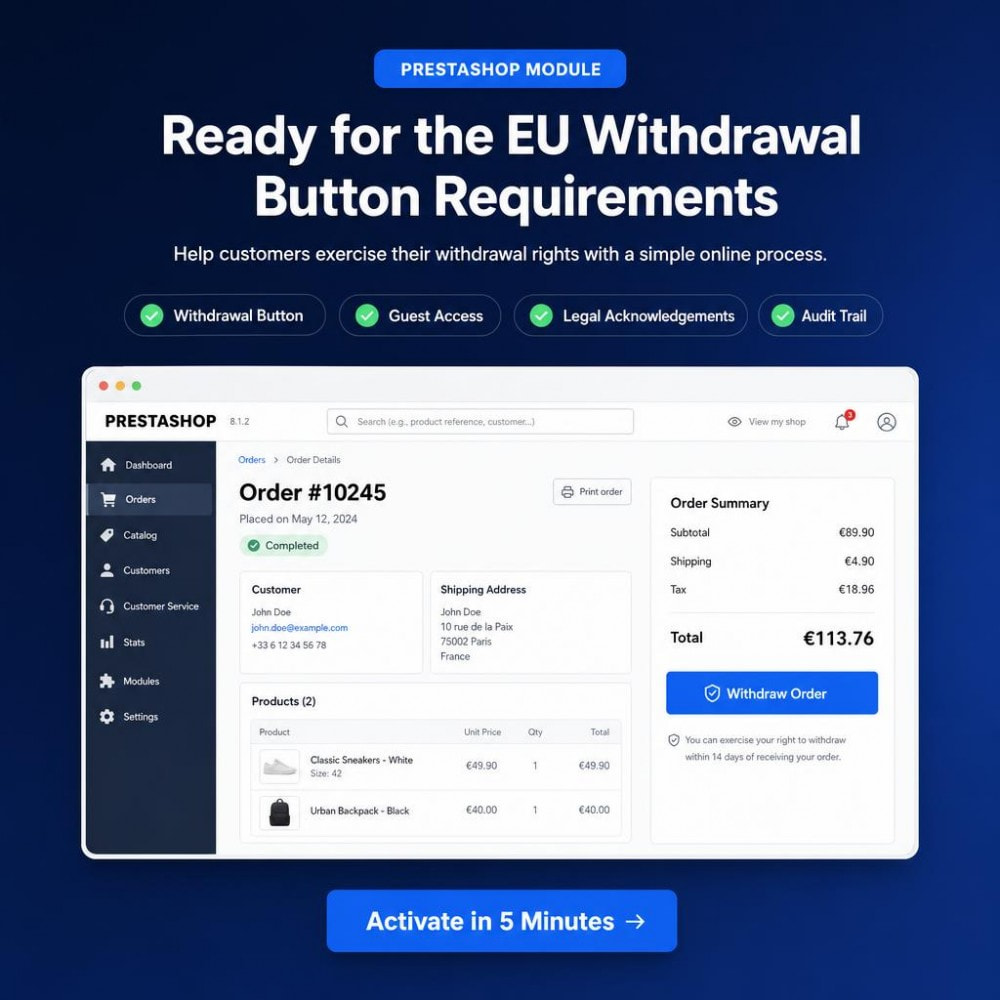
This is the most complete option in our comparison. It goes beyond a basic withdrawal button and delivers a full returns management platform — buyer flow, automatic rule checks, refunds, and a centralized admin dashboard — in one module.
Built for the June 19, 2026 EU Withdrawal Button deadline, it helps merchants stay compliant while cutting the manual work that usually comes with returns, exchanges, and refund tracking.
EU Withdrawal Button Compliance:
- Withdrawal button on order details and account order history.
- Secure guest portal — buyers without accounts can submit and track requests using order details.
- Automatic eligibility checks — 14-day window, digital products, customized goods, and configurable exclusions.
- Instant acknowledgement emails and downloadable PDF confirmations for legal proof.
- Compliance checker with actionable recommendations for your store setup.
Returns, Exchanges & Refunds:
- Full and partial order withdrawal with product and quantity selection.
- Returns, exchanges, and damaged-item reports — not just cancellations.
- Photo and document uploads from buyers for damaged or wrong items.
- Native PrestaShop credit slips and refund tracking with a full audit trail.
- Return labels and tracking information shared with customers automatically.
Merchant Dashboard & Analytics:
- Centralized dashboard for all withdrawal, return, and exchange requests.
- Custom workflows, statuses, and internal notes for your team.
- Return analytics with product-level insights and return reasons.
- CSV exports for reporting, audits, and record keeping.
- Multi-store and multi-language support with GDPR-friendly data handling.
- No core overrides — safe for PrestaShop 1.7, 8, and 9 upgrades.
Best for: EU shops that want compliance and complete returns management in one place — partial returns, guest access, refund workflows, return labels, and analytics without juggling multiple tools or manual emails.
2. EU Withdrawal, Returns & Refunds Compliance
Download: EU Withdrawal Pro on PrestaShop Addons
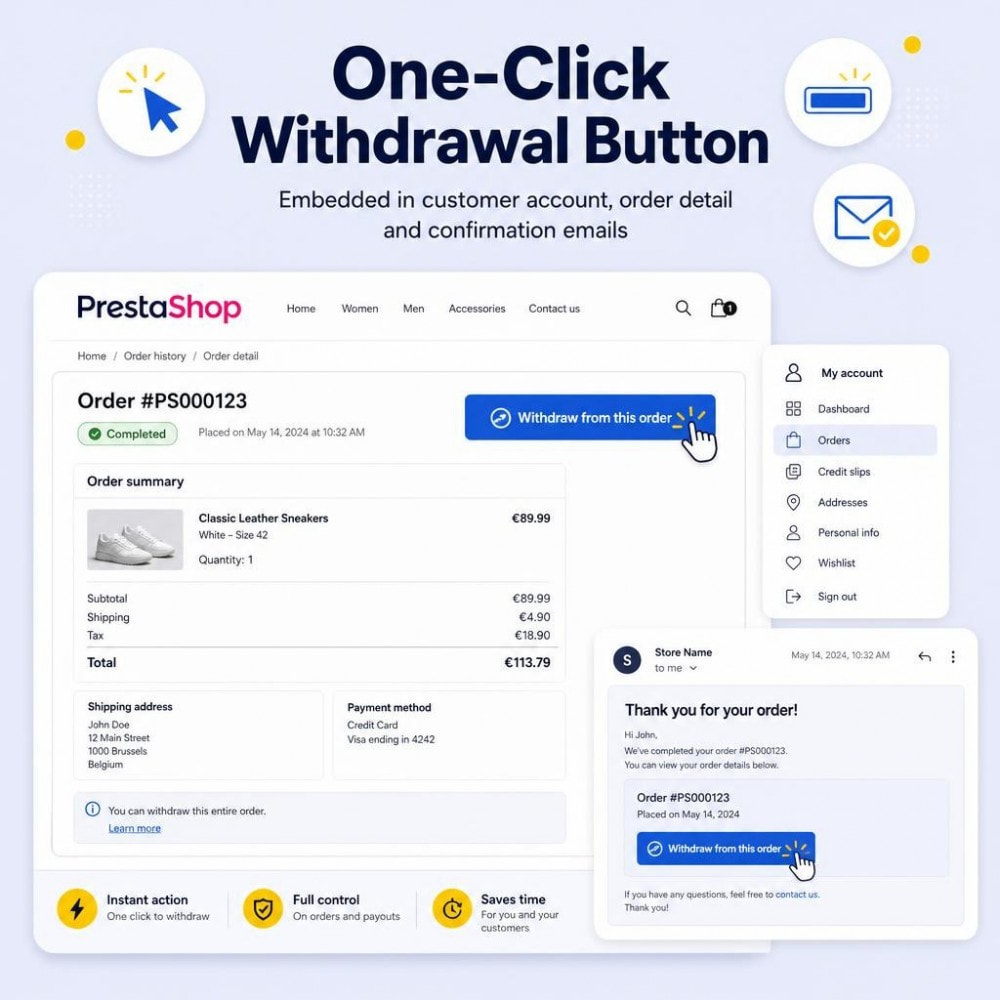
EU Withdrawal Pro suits shops that want withdrawal and complaint handling in one tool. It supports PrestaShop 1.7.3 through 9.1 and includes strong multilingual support.
Standout Features:
- One-click contract cancellation with clear button labeling.
- Automated email receipt with date and time stamp.
- Integrated complaint submission alongside the withdrawal flow.
- Full audit trail with timestamp logging.
- Multilingual button labels and emails (12+ languages listed).
- Compatible with PrestaShop 1.7.3 to 9.1.
Best for: Merchants who also want complaint handling built in and wide PrestaShop version support.
Limitation vs Returns Manager: No partial order withdrawal with product and quantity selection. No returns, exchanges, or damaged-item workflows. No guest portal, return labels, refund tracking, or return analytics.
3. EU Compliant Withdrawal Button
Download: EU Compliant Withdrawal Button on PrestaShop Addons
This is the most basic option in our comparison. It covers the core EU requirement — a visible button, a form, email proof, and a back-office list.
Standout Features:
- Visible withdrawal button in customer account and next to orders.
- Withdrawal form that works for guest buyers too.
- Automatic email confirmation with date and time for legal proof.
- Back-office dashboard to view and manage requests.
- Configurable withdrawal period and button labels.
Best for: Small shops with low return volume that only need a simple compliant button.
Limitation vs Returns Manager: No partial order withdrawal, no approve/reject workflow, no auto exclusion rules, and no returns, exchanges, refund tracking, or analytics.
Which Module Should You Choose?
Choose EU Withdrawal Button & Returns Manager if you need more than a button — partial returns, guest access, returns and exchanges, refund tracking, return labels, analytics, and a compliance checker in one module. View the module on PrestaShop Addons or read our guide on how the EU withdrawal button reshapes returns management.
Choose EU Withdrawal Pro if complaint handling matters as much as withdrawals and you need wide PrestaShop version support from 1.7.3 to 9.1 — but you do not need full returns, exchange, or refund workflows.
Choose EU Compliant Withdrawal Button if you run a small shop and only need a simple compliant button with guest form access and basic admin listing.
Pro Tip
Test your shortlisted module on a staging copy before going live. Submit a sample withdrawal request and confirm emails, logging, and admin updates work as expected.
Your Next Steps
Once you know what to compare, follow this path to get compliant on PrestaShop:
Action Plan:
- Work through the EU withdrawal button compliance checklist.
- Install using the PrestaShop installation walkthrough.
- Set up request management with the withdrawal workflow guide.
- Read about partial order withdrawals if you sell multi-item orders.
- Test a sample order and confirm emails, logging, and admin status updates.
Still have questions? Our EU withdrawal button FAQ covers the most common compliance questions in plain language.
Take Action Now
Do not wait for the June 19, 2026 deadline to force your hand. Review the 2026 deadline and penalties guide, compare PrestaShop modules this week, and test the full return flow on staging before you go live.
Among the three modules compared here, EU Withdrawal Button, Returns & Refunds Manager for PrestaShop offers the deepest feature set for daily EU shop work — compliance, returns, refunds, and analytics in one place. However, the right pick depends on your order volume, return complexity, and whether you need complaint handling or just core compliance.

Write an article about ecommerce that help people to grow their ecommerce business. You’ll find best ecommerce guide, news, tips & more!


Leave a Reply