
In this post I am going to explain how to create new admin user or edit existing user via command line in Magento 2
Execute below command to create new admin user.
php bin/magento admin:user:create --admin-user='johndoe' --admin-password='john@123' --admin-email='[email protected]' --admin-firstname='John' --admin-lastname='Doe'
After successful execution of command you will get below message

Note: If you are editing an existing admin user then only the first name, last name, and password can be edited.
Command parameters and its values
--admin-user ->  Administrator user's username. (Required)
--admin-password -> Administrator user's password. (Required)
--admin-email ->  Administrator user's email. (Required)
--admin-firstname -> Administrator user's first name. (Required)
--admin-lastname ->  Administrator user's last name. (Required)
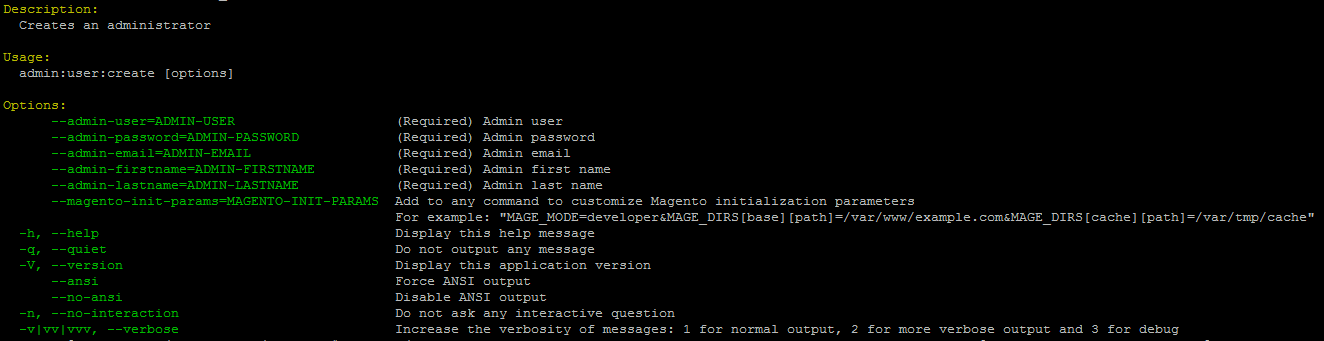
If you want to see all parameters then execute following command.
php bin/magento admin:user:create --help
Now the following example updates first name, last name, and password of “johndoe” admin user.
php bin/magento admin:user:create --admin-user='johndoe' --admin-password='doe@999' --admin-email='[email protected]' --admin-firstname='John X' --admin-lastname='Doe X'
Thats it.

Write an article about ecommerce that help people to grow their ecommerce business. You’ll find best ecommerce guide, news, tips & more!


May 6, 2020 at 12:30 pm
Such a great post. Looks great work. Thanks team!