

In this article we’ll show you, how to Create a New User in Magento 2. Follow this simple guideline…
Step 1: Get Started
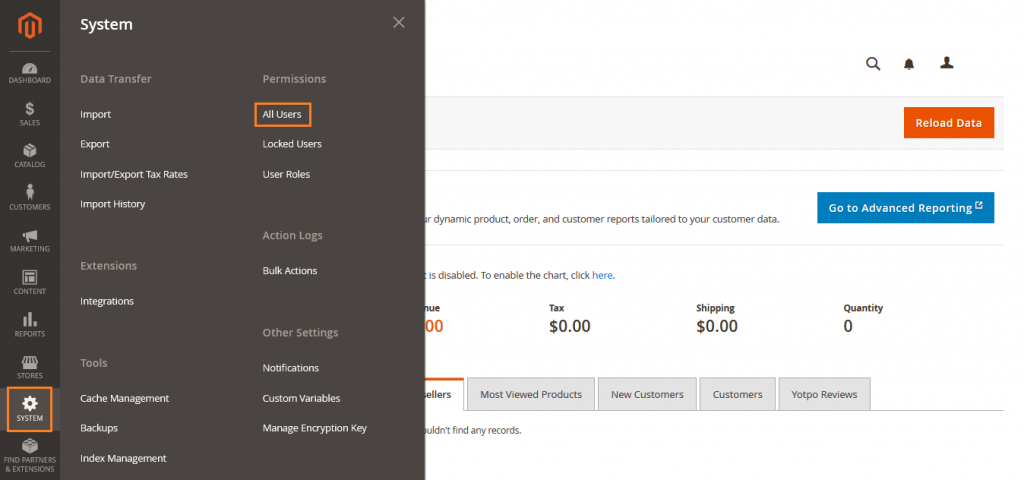
Login into Magento Admin Panel and from sidebar go to, System > Permissions > All Users.
Step 2: Create a New User
In the Account Information section, Fill the details as needed.
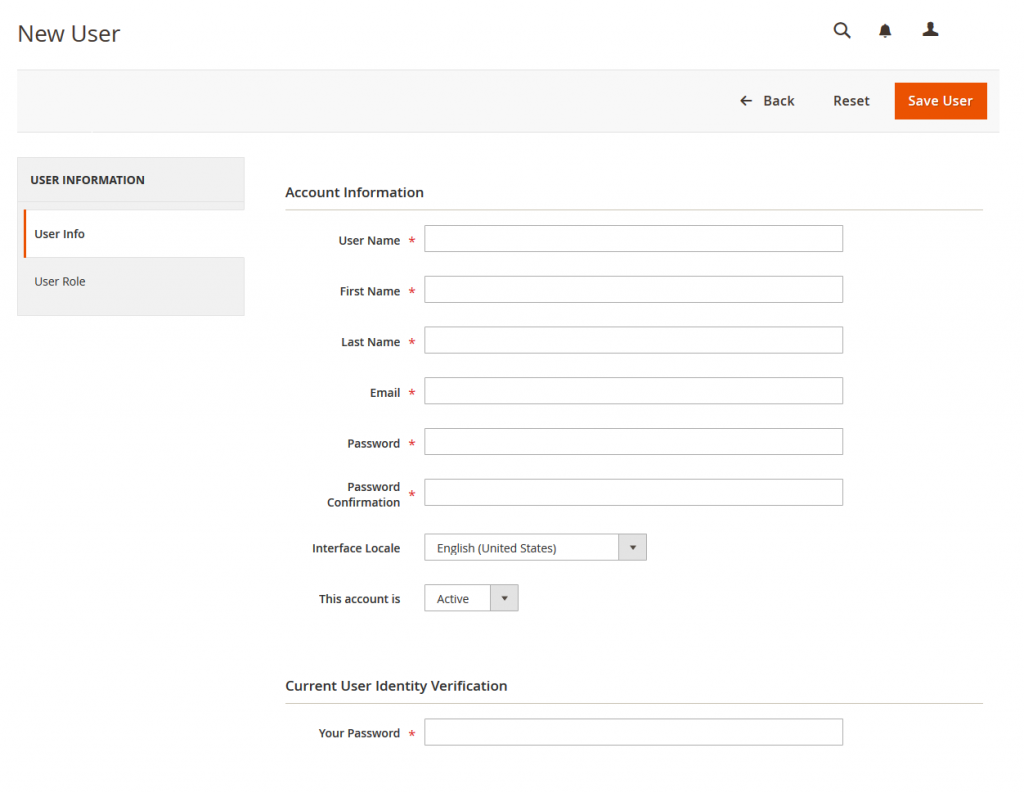
Now from side bar, click on User Role. For a new store, Administrators is the only role available.
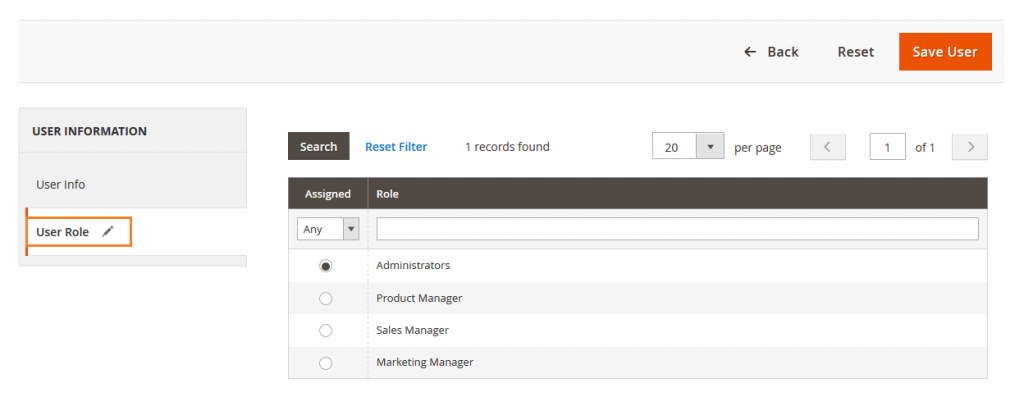
When complete, click on Save User button.

Yeah Done! Let us know in the comment section below if you have any question. We are happy 🙂 to help you!


Write an article about ecommerce that help people to grow their ecommerce business. You’ll find best ecommerce guide, news, tips & more!


Leave a Reply