
In this article we’ll show you, how to Enable Terms and Condition to the Checkout Page in Magento 2. Follow this simple guideline…
Step 1: Get Started
Login into Magento Admin Panel and from sidebar go to, Store > Settings > Configuration
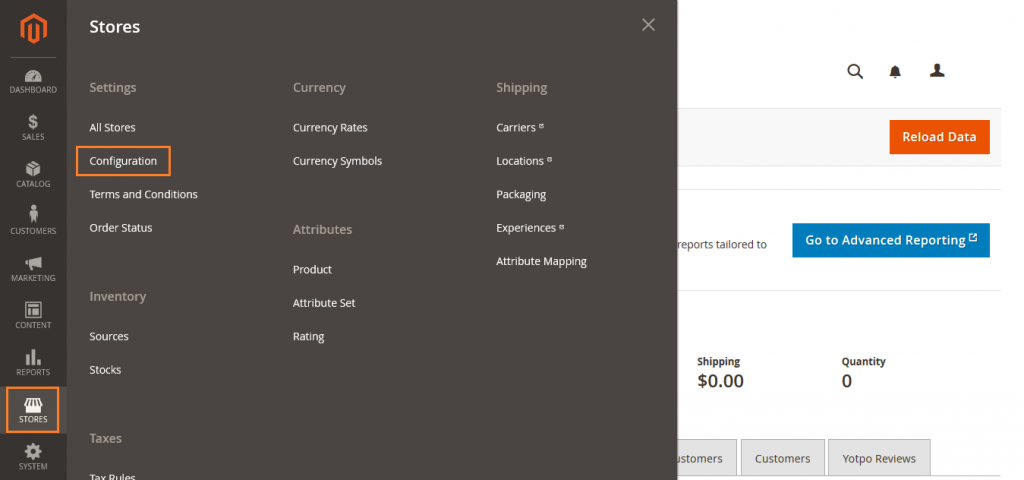
Step 2: Enable Terms and Condition
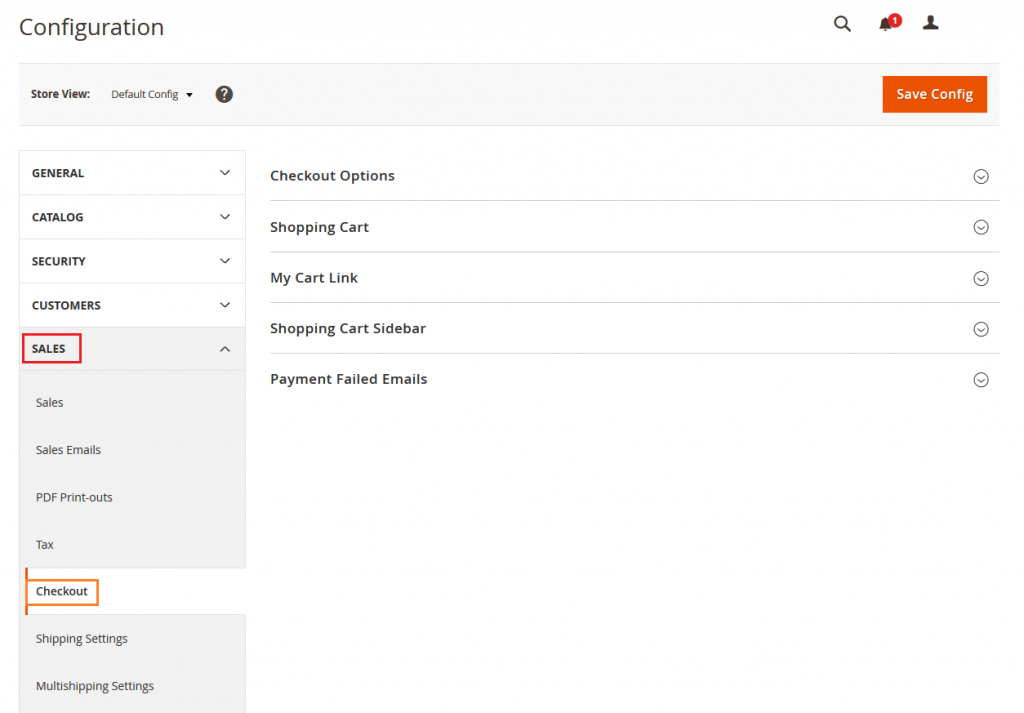
Now from sidebar go to, Sales > Checkout
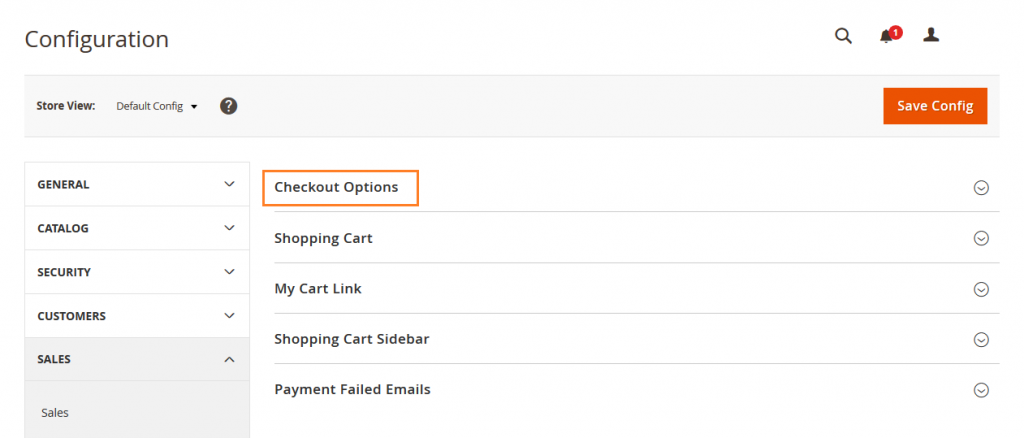
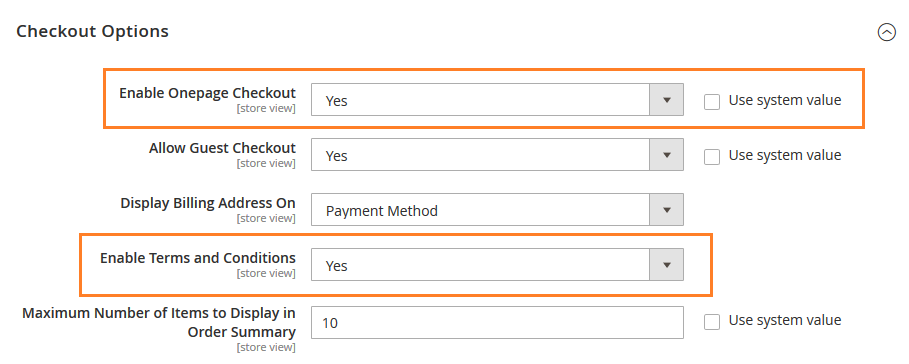
Now expand Checkout Options
Verify that enable onepage checkout is set to Yes. Now set enable terms and conditions to Yes.
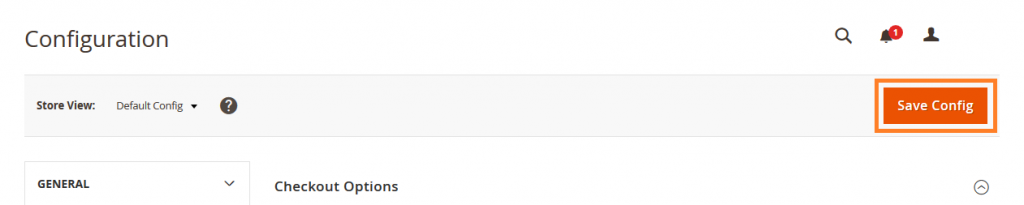
Now click on Save Config button.
Yeah Done! Let us know in the comment section below if you have any question. We are happy 🙂 to help you!


Write an article about ecommerce that help people to grow their ecommerce business. You’ll find best ecommerce guide, news, tips & more!


Leave a Reply