
In this article we’ll show you, how to Schedule Backups in Magento 2. Follow this simple guideline…
Step 1: Get Started
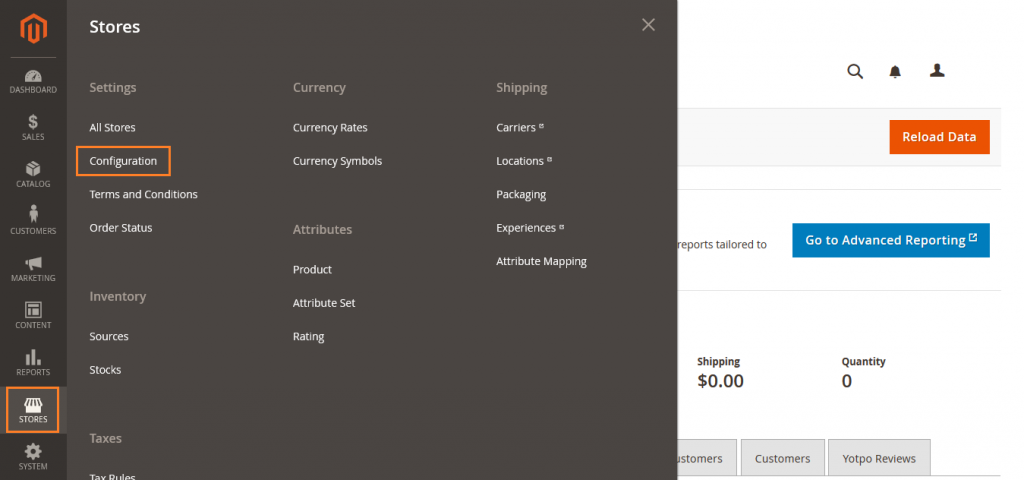
Login into Magento Admin Panel and from sidebar go to, Store > Settings > Configuration.
Step 2: Schedule Backups
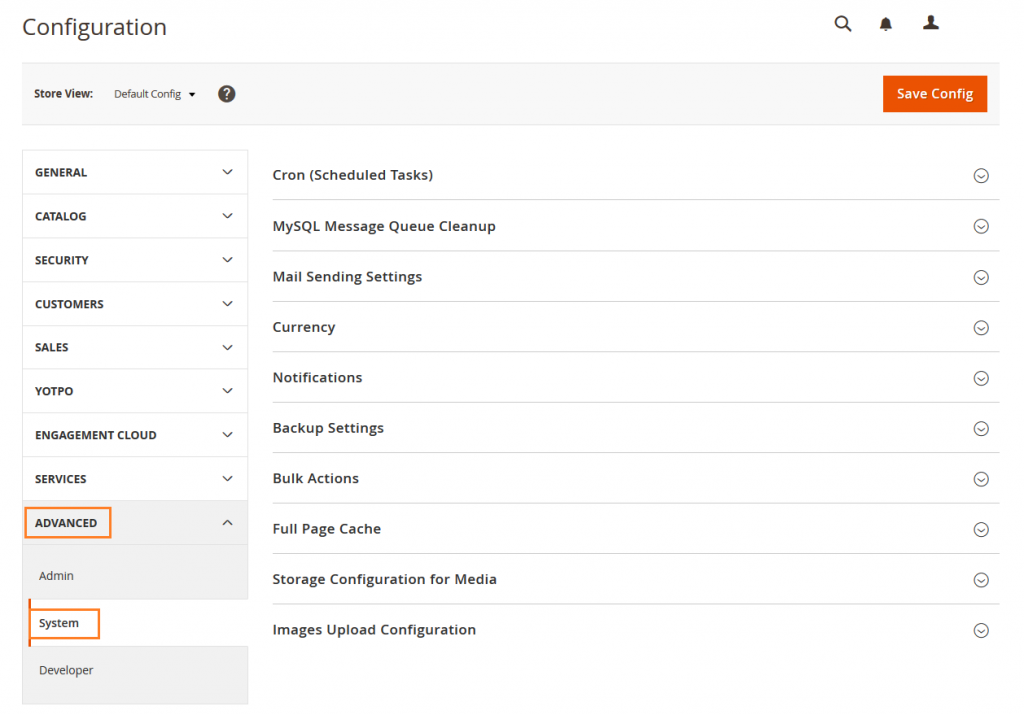
Now from sidebar, Go to Advanced > System.
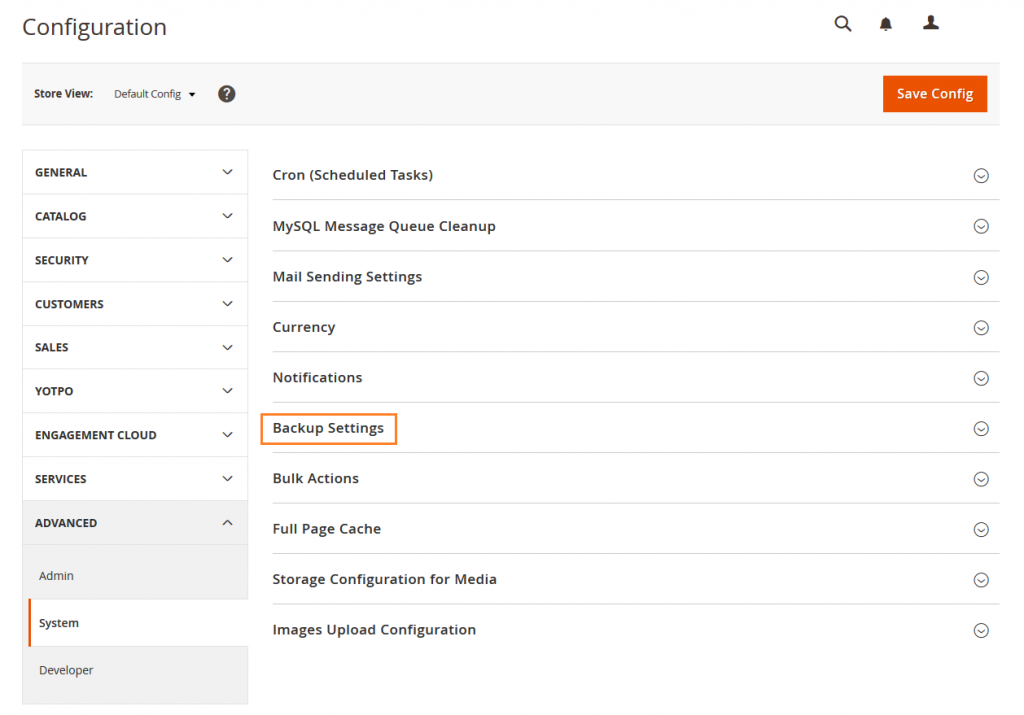
Now Expand Backup Settings.
Do the following.
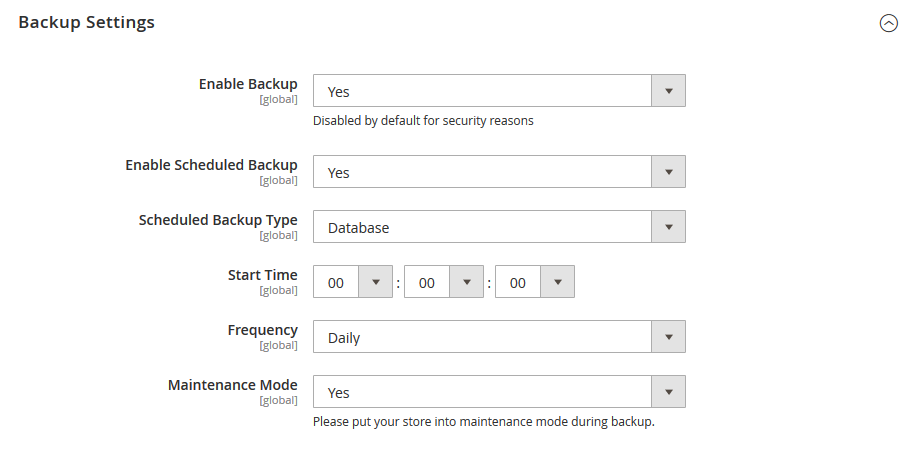
- Set Enabled Backup to Yes.
- Set Enable Scheduled Backup to Yes.
- Set the Scheduled Backup Type.
- Set the Start Time.
- Set the Frequency.
- Set Maintenance Mode to Yes.
When complete, click on Save Config button.

Yeah Done! Let us know in the comment section below if you have any question. We are happy 🙂 to help you!


Write an article about ecommerce that help people to grow their ecommerce business. You’ll find best ecommerce guide, news, tips & more!


May 4, 2020 at 5:29 pm
Nice information. Short but impressive. Thanks for sharing!