

In this article we’ll show you, how to add a New Website in Magento 2. Follow this simple guideline…
Step 1: Get Started
Login into Magento Admin Panel and from sidebar go to, Stores > Settings > All Stores
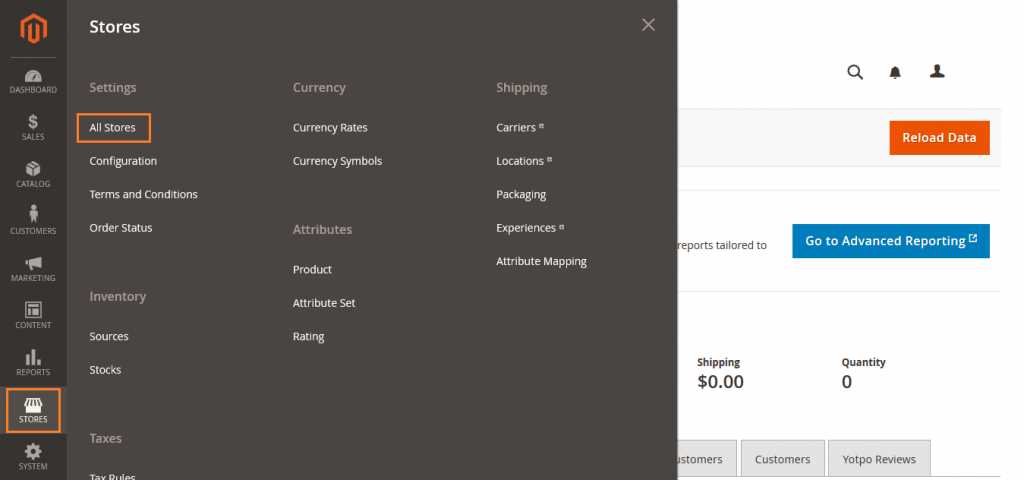
Step 2: Add a New Website
In the upper-right corner, click on Create Website button.
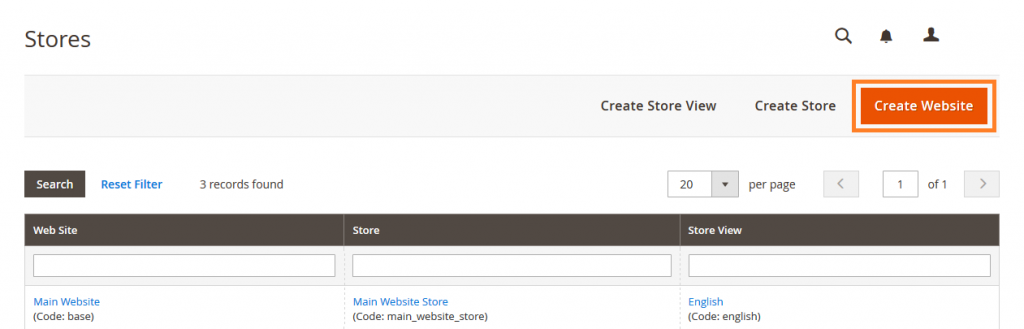
Add website Information here.
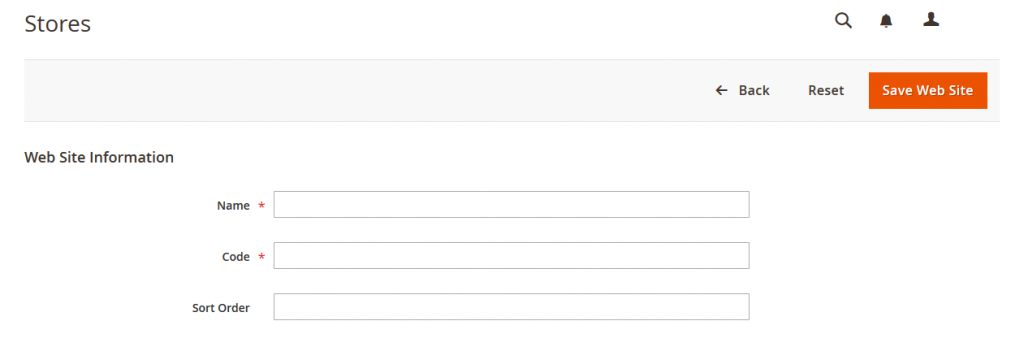
Name: Enter the domain of the new website. For example, yourdomain.com.
Code: Enter a code that will be used on the server to point to the domain. The code must begin with a lowercase (a-z) letter, and can include any combination of letters (a-z), numbers (0-9), and the underscore (_) symbol.
Sort Order: Enter a number to determine the sequence in which this site is listed with other sites.
When complete, Click on Save Web Site button.

Yeah Done! Let us know in the comment section below if you have any question. We are happy 🙂 to help you! Check out Best Magento Tutorials here!


Write an article about ecommerce that help people to grow their ecommerce business. You’ll find best ecommerce guide, news, tips & more!


Leave a Reply